Hero Background
Trusted by 1M+ Atlassian users worldwide

Empower Your
Atlassian Experience

Discover our powerful suite of apps designed to enhance productivity, streamline workflows, and unlock the full potential of your Atlassian ecosystem


Cloud Fortified
Enterprise Ready
GoogleAppleNASANetflixIntelBoeingAdobeElectronic ArtsUbisoftTurkish AirlinesCoca-ColaFordHSBCBlizzard GoogleAppleNASANetflixIntelBoeingAdobeElectronic ArtsUbisoftTurkish AirlinesCoca-ColaFordHSBCBlizzard
HPDominosDellSquare EnixLufthansa SystemsBAE SystemsNorthrop GrummanElbit SystemsSixtWincor NixdorfZebra TechnologiesVirgin MediaQ2Mobileye HPDominosDellSquare EnixLufthansa SystemsBAE SystemsNorthrop GrummanElbit SystemsSixtWincor NixdorfZebra TechnologiesVirgin MediaQ2Mobileye

WorklogPRO - Timesheets for Jira

Effective time tracking and reporting for Jira

WorklogPRO - Timesheets for Jira screenshot 1
WorklogPRO - Timesheets for Jira screenshot 2
WorklogPRO - Timesheets for Jira screenshot 3
WorklogPRO - Timesheets for Jira screenshot 4
WorklogPRO - Timesheets for Jira screenshot 5
WorklogPRO - Timesheets for Jira screenshot 6
WorklogPRO - Timesheets for Jira screenshot 7
WorklogPRO - Timesheets for Jira screenshot 8
WorklogPRO - Timesheets for Jira screenshot 9

SUPPORT

PARTNER SUPPORTED
CLOUD MIGRATION ASSISTANCE

TRUST SIGNALS

CLOUD FORTIFIED

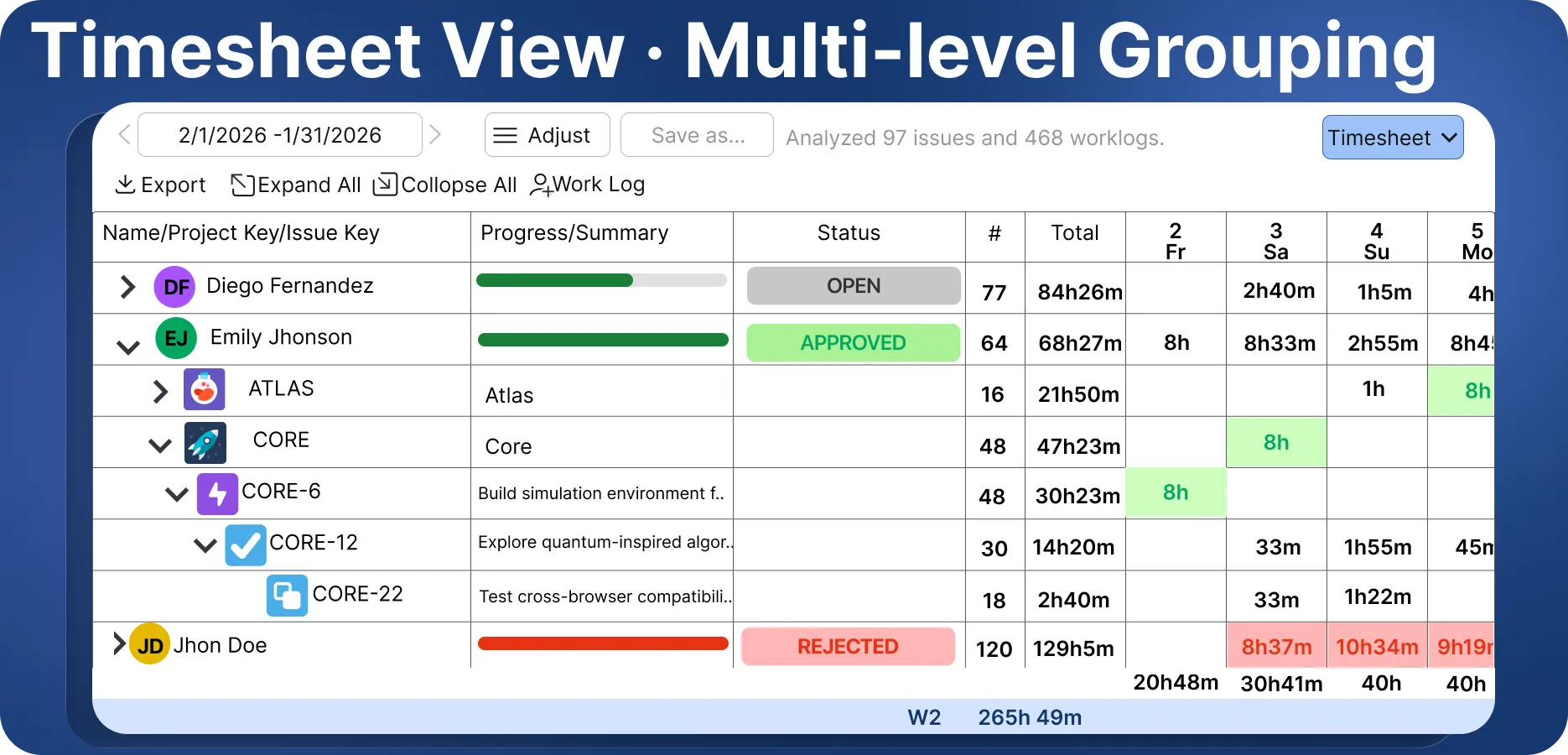
Timesheet view with multi-level grouping

Expand from user to project to issue to sub-task in a single grid. Daily and weekly totals are calculated as you go, and the whole timesheet can be saved as a report or exported.
CloudCloudData Center
View on Marketplace

Getting Work Done

Personal Task Management for Jira

Getting Work Done screenshot 1
Getting Work Done screenshot 2
Getting Work Done screenshot 3
Getting Work Done screenshot 4

SUPPORT

PARTNER SUPPORTED

TRUST SIGNALS

RUNS ON ATLASSIAN

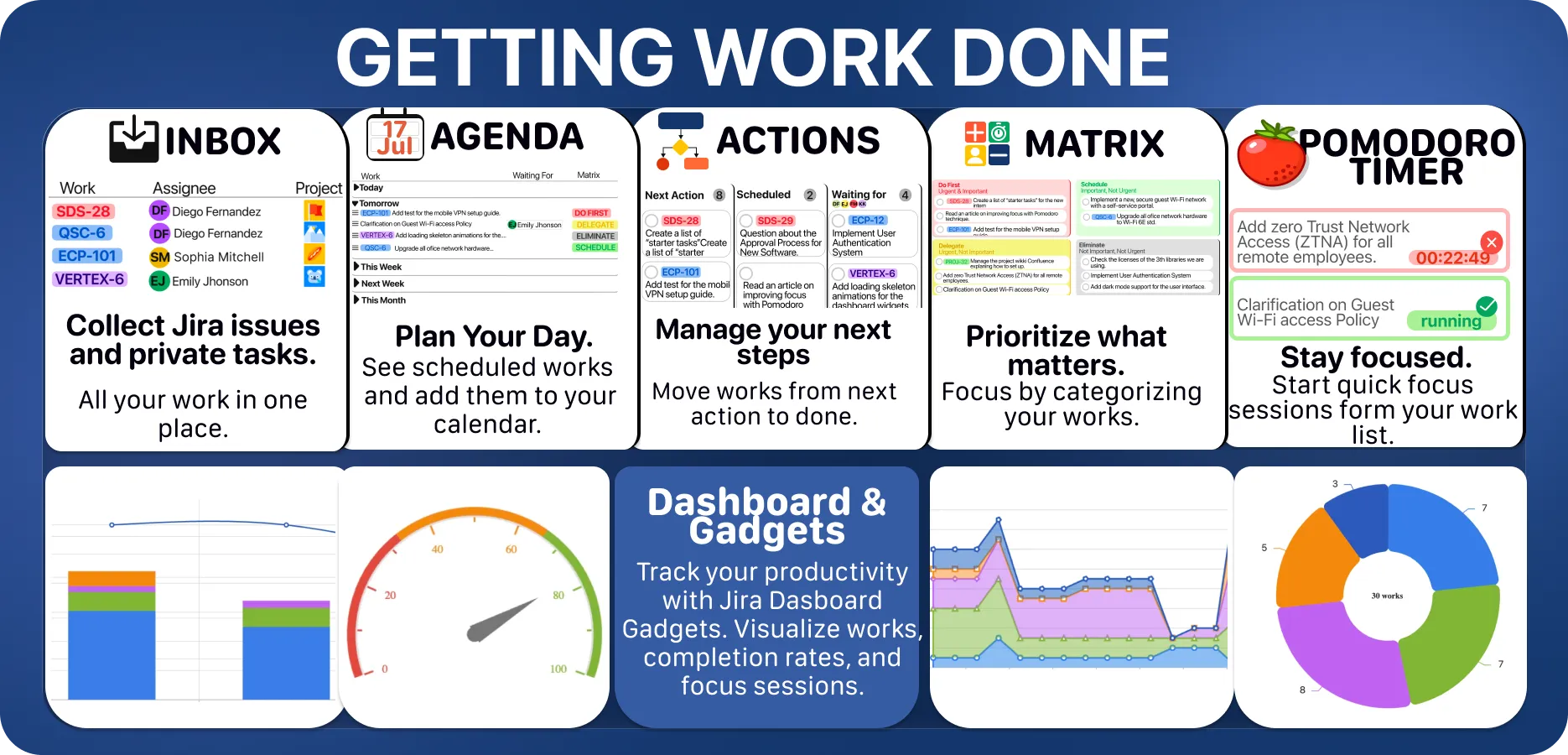
Your whole workday in one app

Inbox, Agenda, Actions, Matrix and a Pomodoro timer all work on the same list, with Jira issues and private tasks side by side. Dashboard gadgets visualise your works, completion rates and focus sessions right inside Jira.

ChronoFlow - Wait Time Analysis for Jira

Time in status, dates, users or any field you want with JQL support, report sharing and charts

ChronoFlow - Wait Time Analysis for Jira screenshot 1
ChronoFlow - Wait Time Analysis for Jira screenshot 2
ChronoFlow - Wait Time Analysis for Jira screenshot 3

SUPPORT

PARTNER SUPPORTED

TRUST SIGNALS

RUNS ON ATLASSIAN

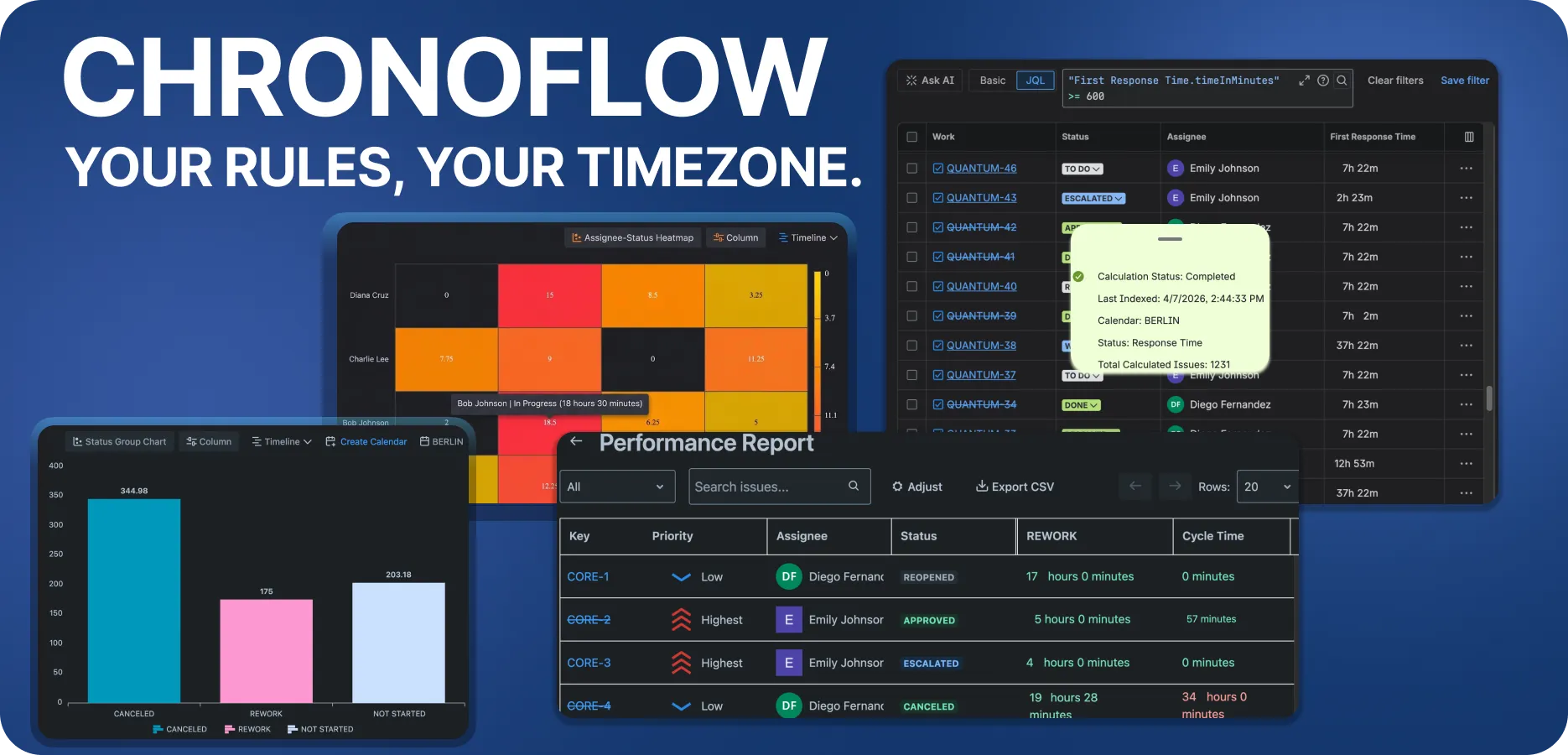
Your rules, your timezone

Calculated durations become first-class JQL fields, so you can query work like "First Response Time.timeInMinutes" >= 600. Every calculation runs against the business calendar you define, and heatmaps and performance reports are built from the same data.

Issue Reminders

Coordinate issues with automatic time based notifications

Issue Reminders screenshot 1
Issue Reminders screenshot 2
Issue Reminders screenshot 3
Issue Reminders screenshot 4
Issue Reminders screenshot 5
Issue Reminders screenshot 6

SUPPORT

PARTNER SUPPORTED
CLOUD MIGRATION ASSISTANCE

TRUST SIGNALS

CLOUD FORTIFIED

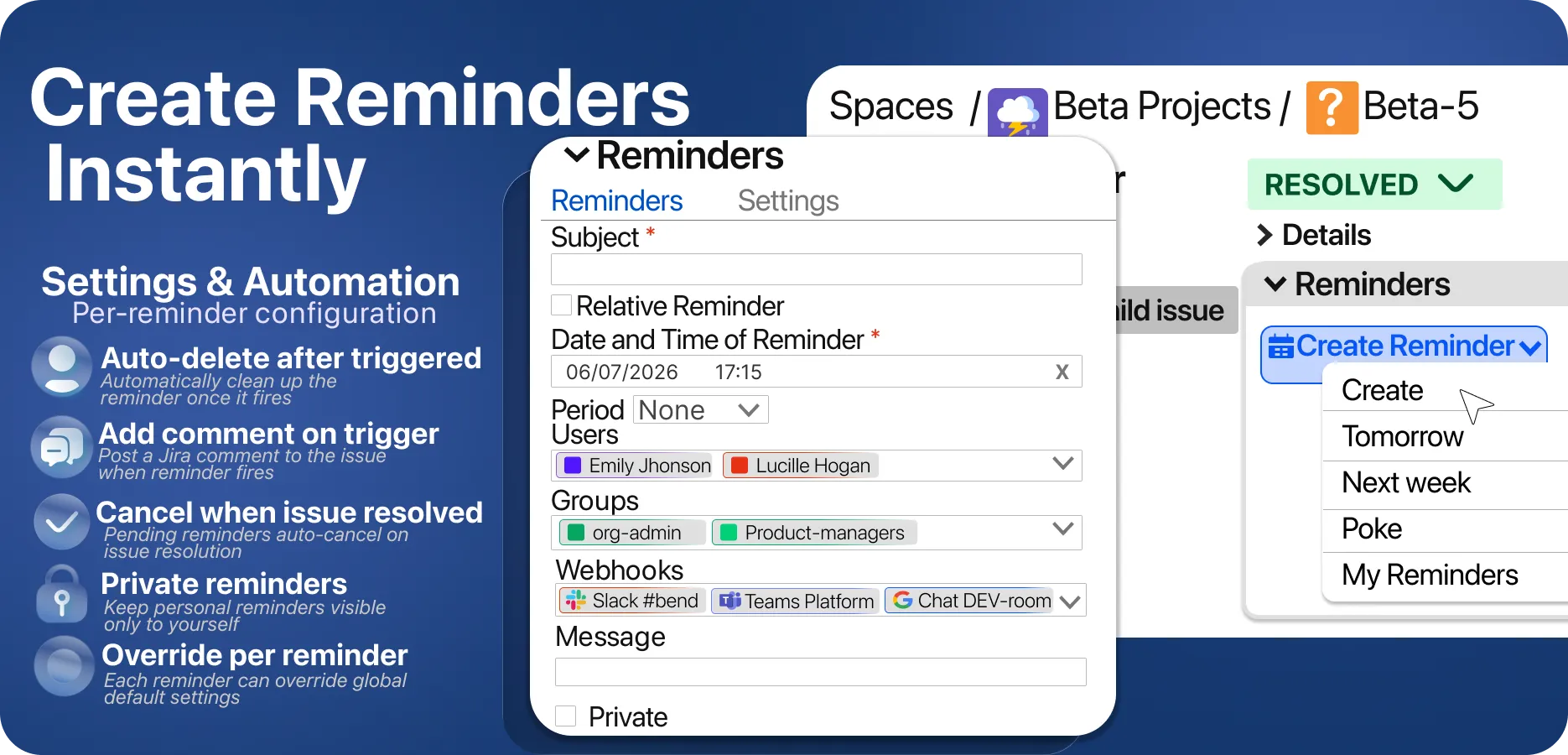
Create reminders instantly from the issue

Create a reminder in one click, or use the quick presets for tomorrow, next week and poke. Target users, groups and webhooks at once, and configure per reminder whether it auto-deletes after firing, posts a comment on trigger, cancels when the issue is resolved, or stays private to you.
CloudCloudData Center
View on Marketplace

Software Configuration Management Toolkit

Advanced component and version management for Jira

Software Configuration Management Toolkit screenshot 1
Software Configuration Management Toolkit screenshot 2
Software Configuration Management Toolkit screenshot 3
Software Configuration Management Toolkit screenshot 4
Software Configuration Management Toolkit screenshot 5
Software Configuration Management Toolkit screenshot 6
Software Configuration Management Toolkit screenshot 7
Software Configuration Management Toolkit screenshot 8

SUPPORT

PARTNER SUPPORTED

TRUST SIGNALS

CLOUD FORTIFIED

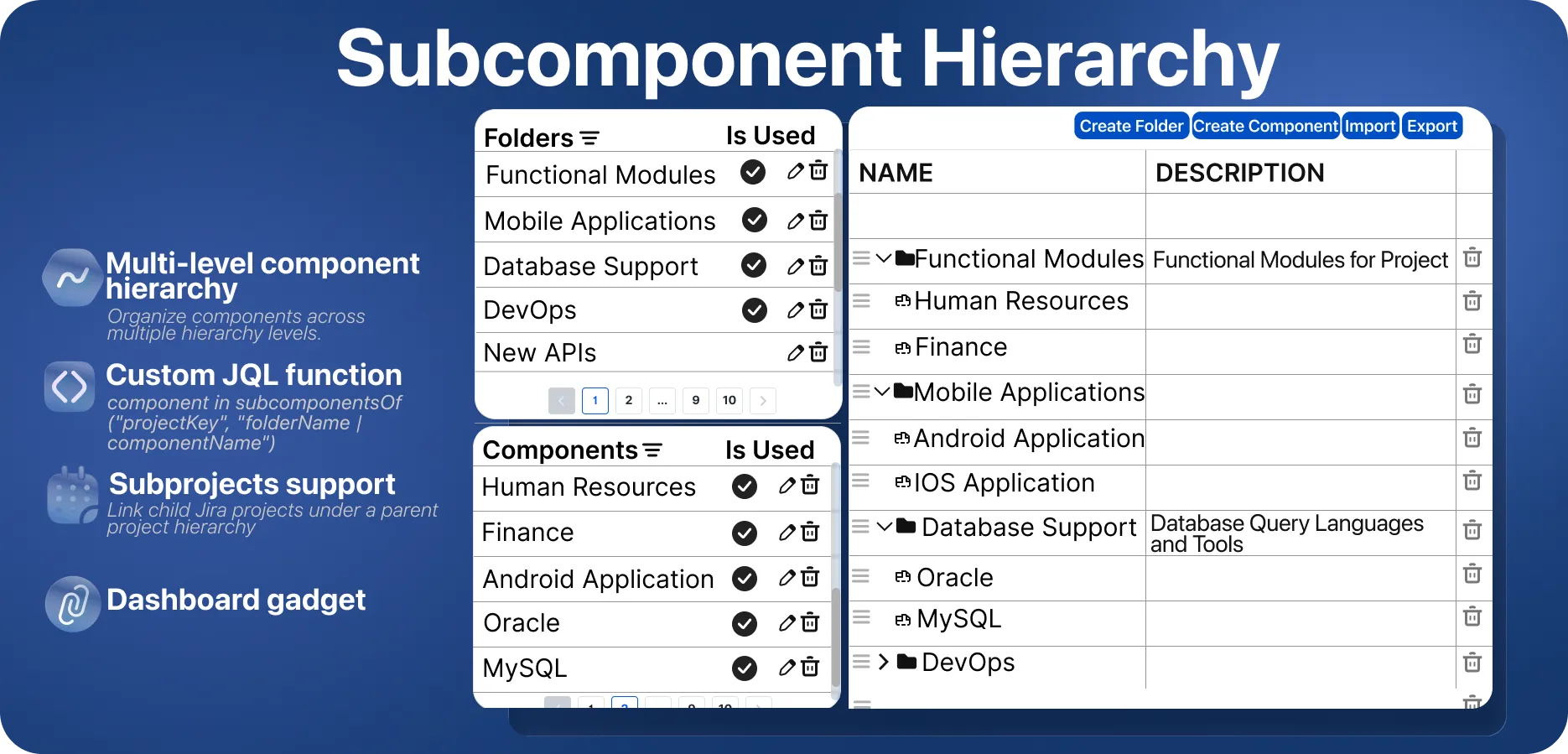
Build a real subcomponent hierarchy

Organise Jira components into folders across multiple levels, link child projects under a parent with subprojects support, and query the tree with the subcomponentsOf JQL function. A dashboard gadget keeps the hierarchy visible.
CloudCloudData Center
View on Marketplace

Custom Fields ++ for Jira

Custom Fields with modern look & feel and REST API

Custom Fields ++ for Jira screenshot 1
Custom Fields ++ for Jira screenshot 2
Custom Fields ++ for Jira screenshot 3

SUPPORT

PARTNER SUPPORTED

TRUST SIGNALS

RUNS ON ATLASSIAN

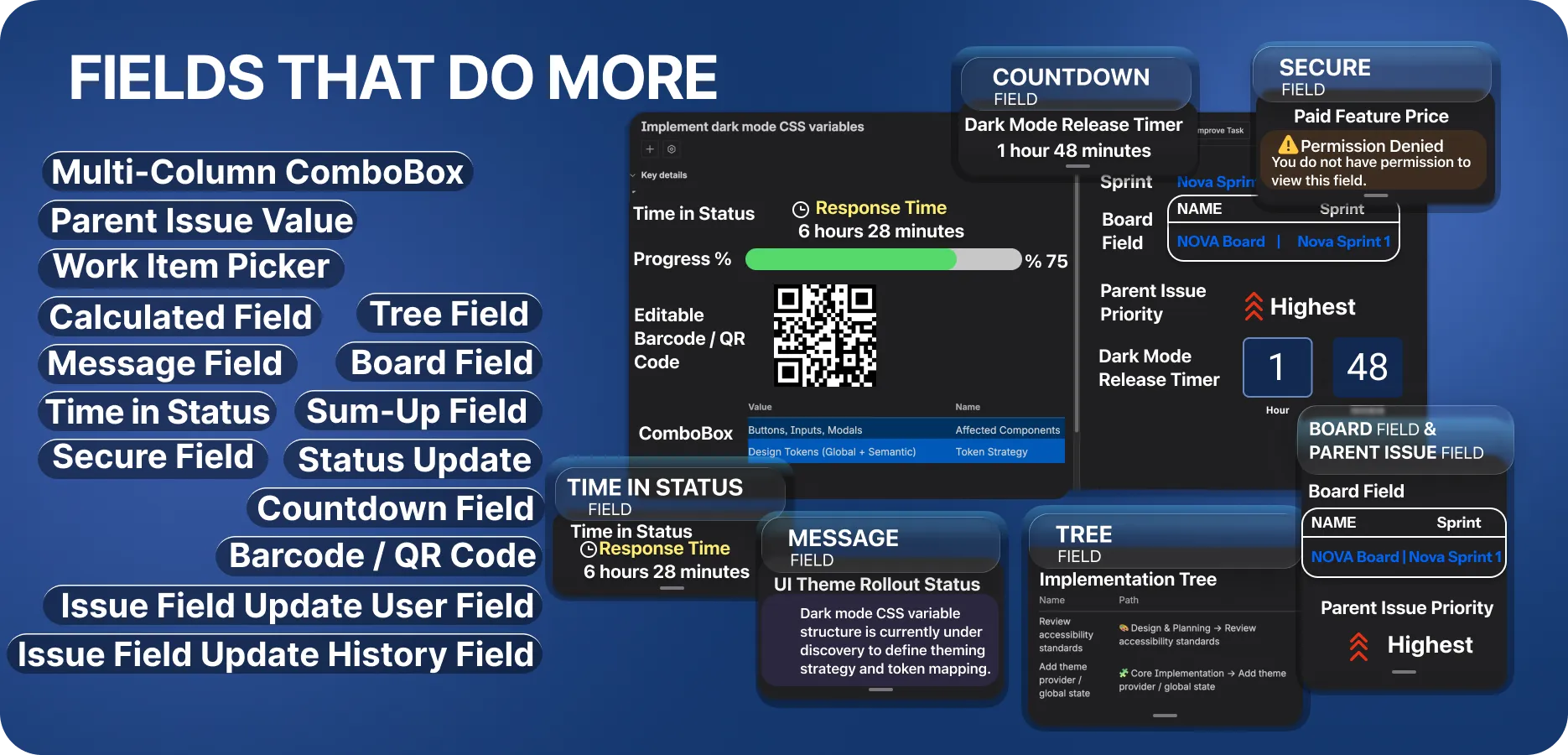
Fields that do more

Multi-Column ComboBox, Parent Issue Value, Work Item Picker, Calculated, Tree, Message, Board, Time in Status, Sum-Up, Secure, Status Update, Countdown, Barcode / QR Code and Issue Field Update fields. Pick the type that fits the data instead of forcing it into a text field.
CloudCloudData Center
View on Marketplace

Similar and Related Issues Finder

Discover similar, duplicate and related issues easily

Similar and Related Issues Finder screenshot 1
Similar and Related Issues Finder screenshot 2
Similar and Related Issues Finder screenshot 3
Similar and Related Issues Finder screenshot 4
Similar and Related Issues Finder screenshot 5
Similar and Related Issues Finder screenshot 6

SUPPORT

PARTNER SUPPORTED
CLOUD MIGRATION ASSISTANCE

TRUST SIGNALS

RUNS ON ATLASSIAN
CLOUD FORTIFIED

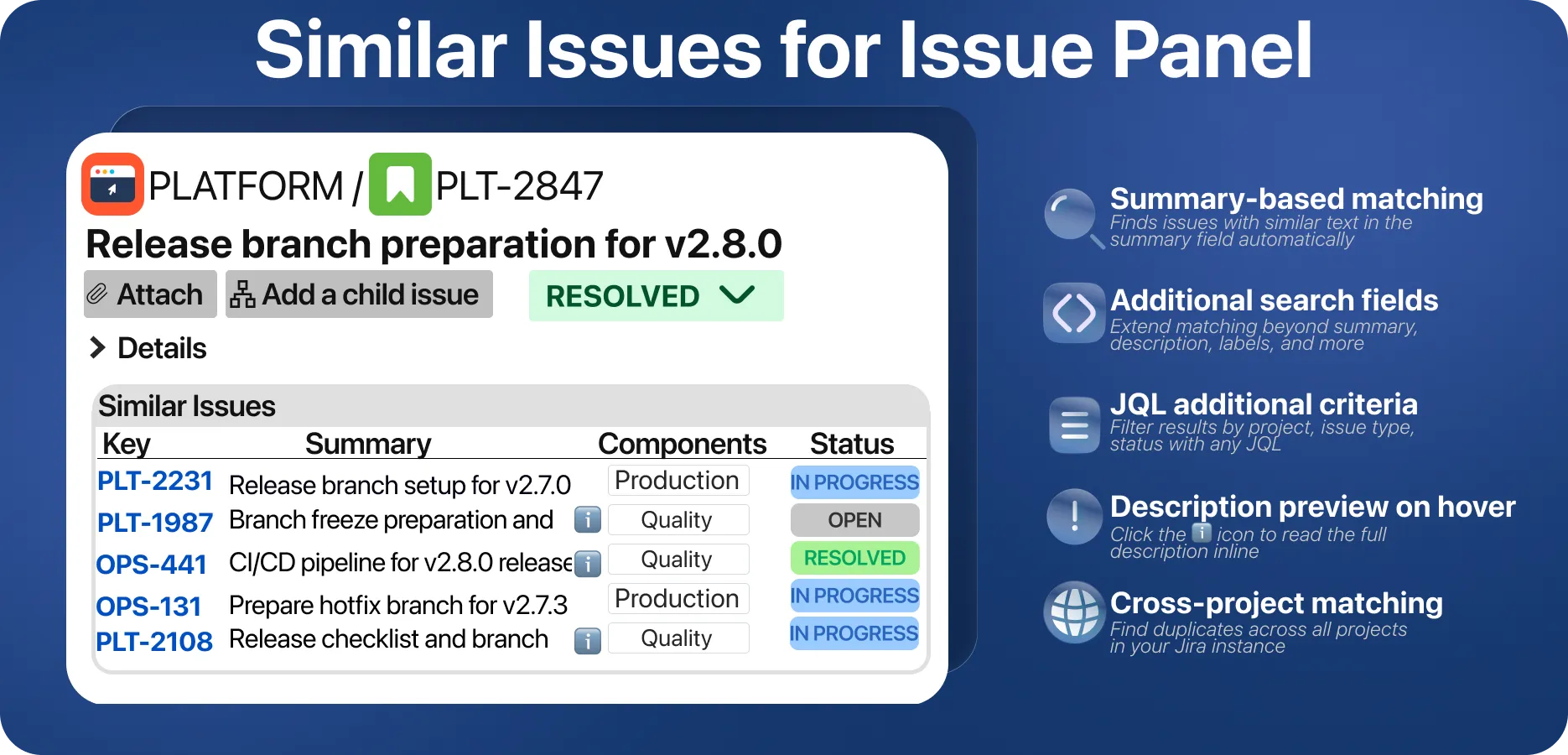
Similar issues on the issue view

Matching runs on the summary by default and can be extended to description, labels and other fields, narrowed with additional JQL criteria, and searched across every project in your instance. Hover the info icon to read a candidate's full description inline.
CloudCloudData Center
View on Marketplace

CLI for Jira

Command line interface for Jira

CLI for Jira screenshot 1
CLI for Jira screenshot 2
CLI for Jira screenshot 3
CLI for Jira screenshot 4
CLI for Jira screenshot 5
CLI for Jira screenshot 6
CLI for Jira screenshot 7

SUPPORT

PARTNER SUPPORTED
CLOUD MIGRATION ASSISTANCE

TRUST SIGNALS

CLOUD SECURITY PARTICIPANT

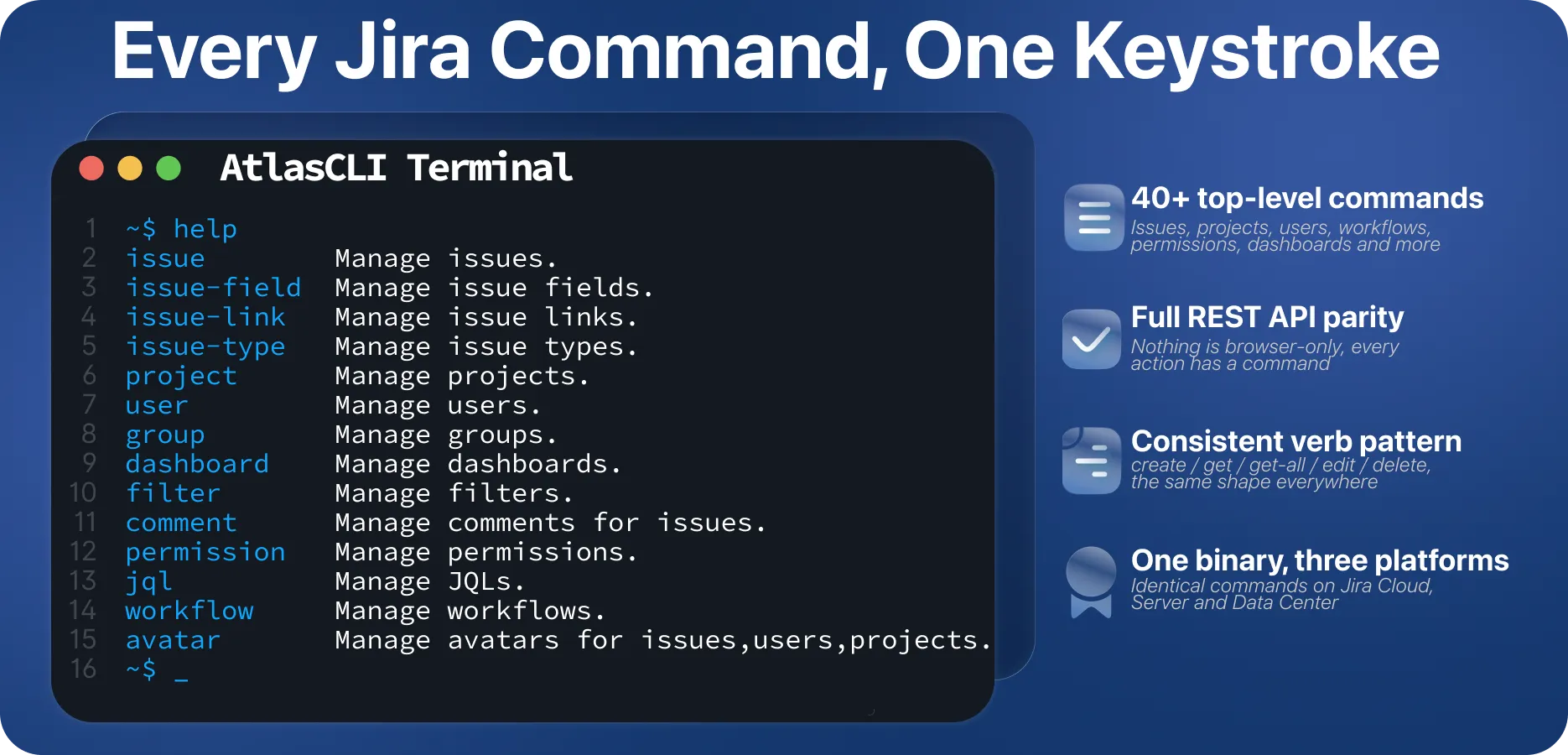
Every Jira command, one keystroke

More than 40 top-level commands cover issue, issue-field, issue-link, issue-type, project, user, group, dashboard, filter, comment, permission, jql, workflow, avatar and more. They all follow the same create / get / get-all / edit / delete pattern, and nothing is browser-only.
CloudCloudData Center
View on Marketplace

Why Choose Our Apps?

Seamless integration with Atlassian products

Enhanced productivity for your teams

Customizable solutions for your unique needs

Regular updates and dedicated support